Why Your First Real Sale Comes From CSV Export, Not "Publish"
Direct publish to eBay is a limited preview today — the real, universal path to your first sale is exporting a CSV to your own eBay account.
Why you might not see a "Publish" option that goes all the way
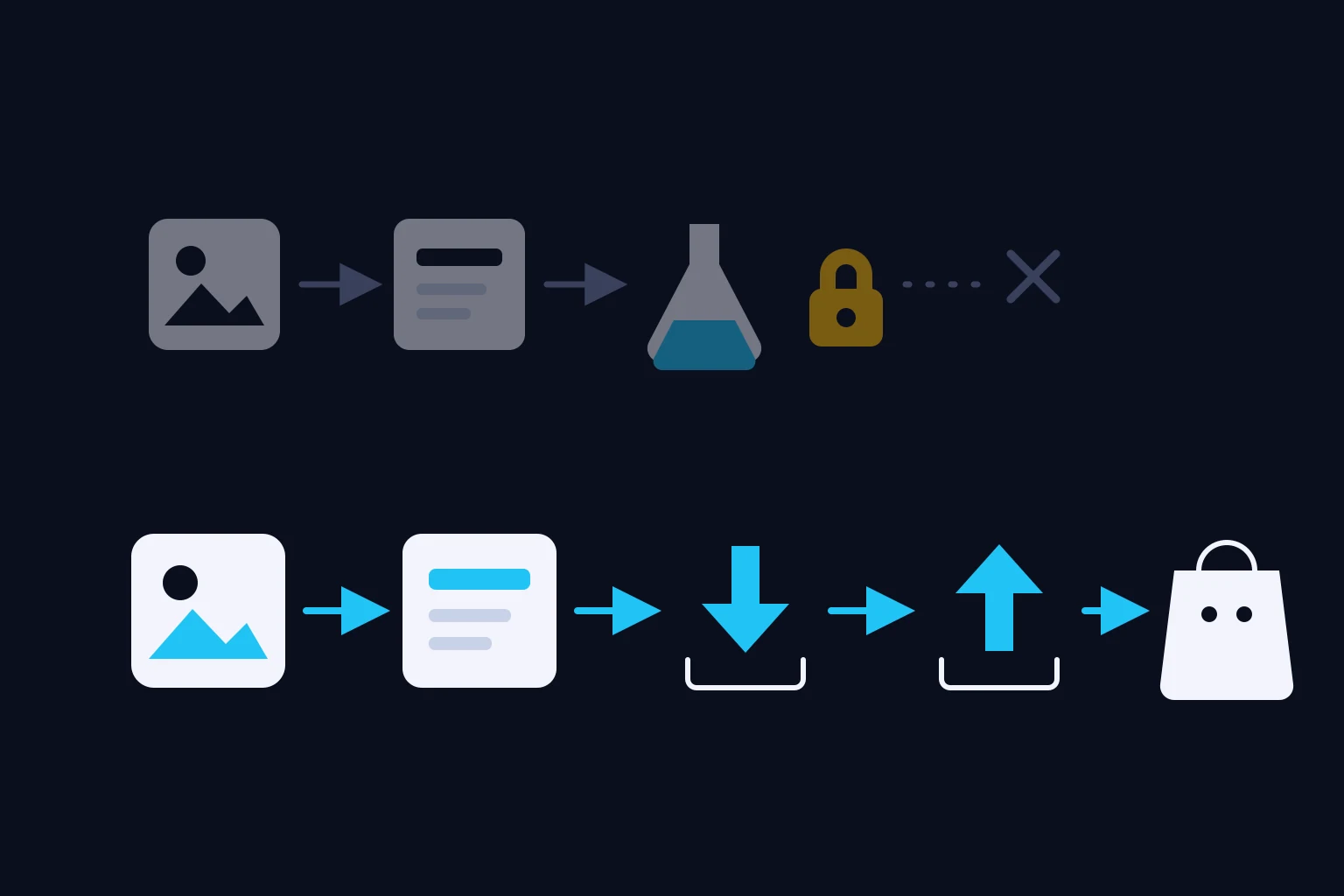
Reseller Express can do one of two things with a finished listing: hand you a CSV file to upload yourself, or publish it directly into eBay Sandbox — a private testing copy of eBay that real buyers can't see or search. Direct publish is currently a limited preview we're rolling out to a small number of accounts while we validate the pipeline end to end. If you connect your eBay Sandbox account and don't see a working "Publish" action, that's not a bug on your end — direct publish just isn't open to your account yet.
None of this affects the part that matters: your photos, the AI's suggestions, and your review and edits all work the same either way. The only difference is the last step — how the finished listing leaves Reseller Express.
So how do you actually sell something today?
The real path for every seller today, preview or not, is CSV export. Here's how it works:
- Go through the normal flow — upload photos, let the assistant suggest identity, condition, and price, review and edit everything.
- When you're ready to publish, use the export option to generate your CSV.
- Reseller Express generates a CSV file formatted for marketplace bulk upload.
- You download that file and upload it yourself to your own eBay account (or another marketplace that accepts a similar format).
This matters because it's the only route that puts your listing in front of real buyers today, for every account. Uploading the CSV yourself is the step that makes the listing genuinely live — nothing inside Reseller Express does that part for you yet.
If your account does have Sandbox preview access
A small number of accounts can also publish directly into eBay Sandbox as an early preview. It's a useful confirmation step even then — you can see exactly how your finished listing looks (title, photos, price, condition, category details) assembled together before you commit to uploading it yourself elsewhere. But it is still not a real sale: nothing published to Sandbox is visible to real buyers, so don't wait for an order or a payment to show up from it.
What this means for your workflow
- CSV export = the real path to a real listing on your real eBay account today, available to every seller.
- Sandbox preview publish (if your account has it) = an optional confirmation step in a test environment. Good for checking your work. Not a real sale.
- Either way, a real sale only happens after you've uploaded your listing to your own eBay account yourself.
What to do next
After you review and approve your listing, use the export option to download your CSV, then upload it to your own eBay seller account to make it genuinely live. Go to your dashboard, open your listing, and look for the export/download action next to the publish button.